

Create Account
Creating an account on AlertWise is quick, simple, and completely free — no credit card required.
This guide will walk you through each step so you can start using our powerful push notification services in just a few minutes.
If you already have an account Please ckick on Login
Step 1 – Access the Signup Page
Section titled “Step 1 – Access the Signup Page”Visit the official AlertWise website This will take you to the signup form where you can choose your preferred account creation method.
Step 2 – Choose Your Signup Method
Section titled “Step 2 – Choose Your Signup Method”You have two options for creating your account: 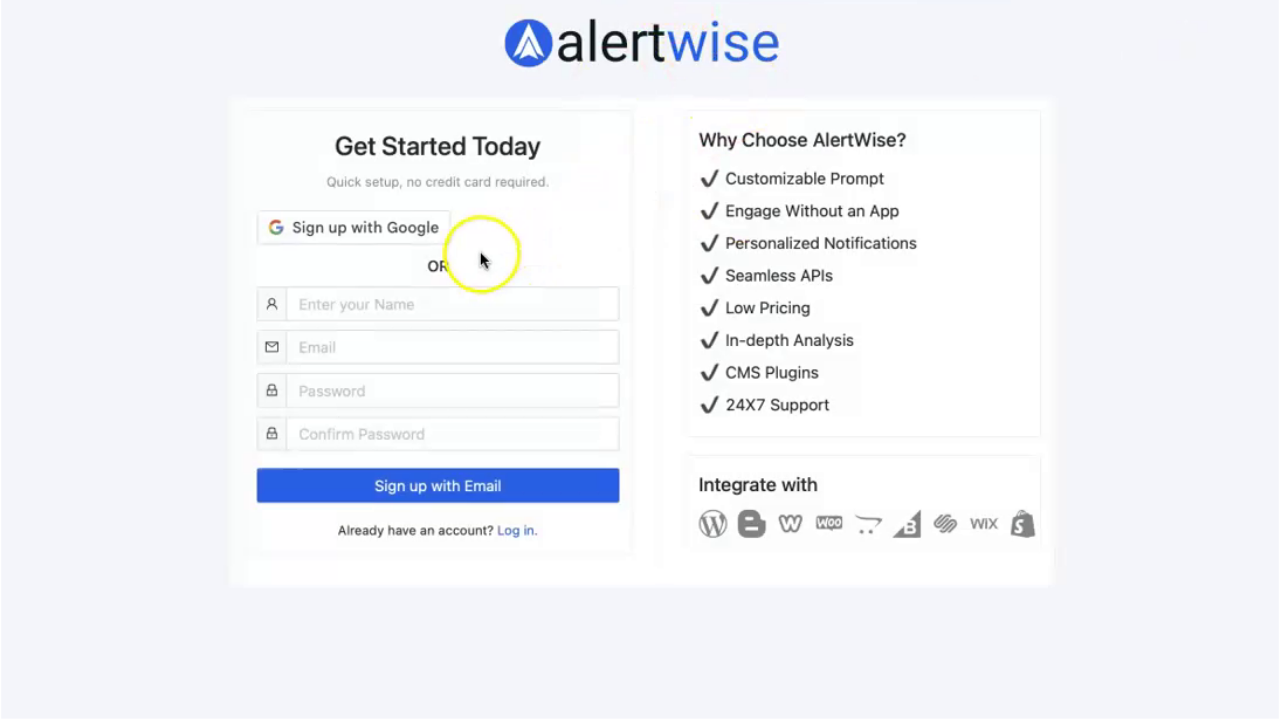
Sign Up with Google
- Click the Sign up with Google button.
- Log in with your Google credentials and authorize AlertWise.
- You’ll be instantly signed in — no extra verification needed.
Sign Up with Email (Manual Signup)
- Enter your Name, Email address, and Password in the provided fields.
- Use a strong password with a mix of letters, numbers, and symbols for better security.
Step 3 – Complete the Email Signup
Section titled “Step 3 – Complete the Email Signup”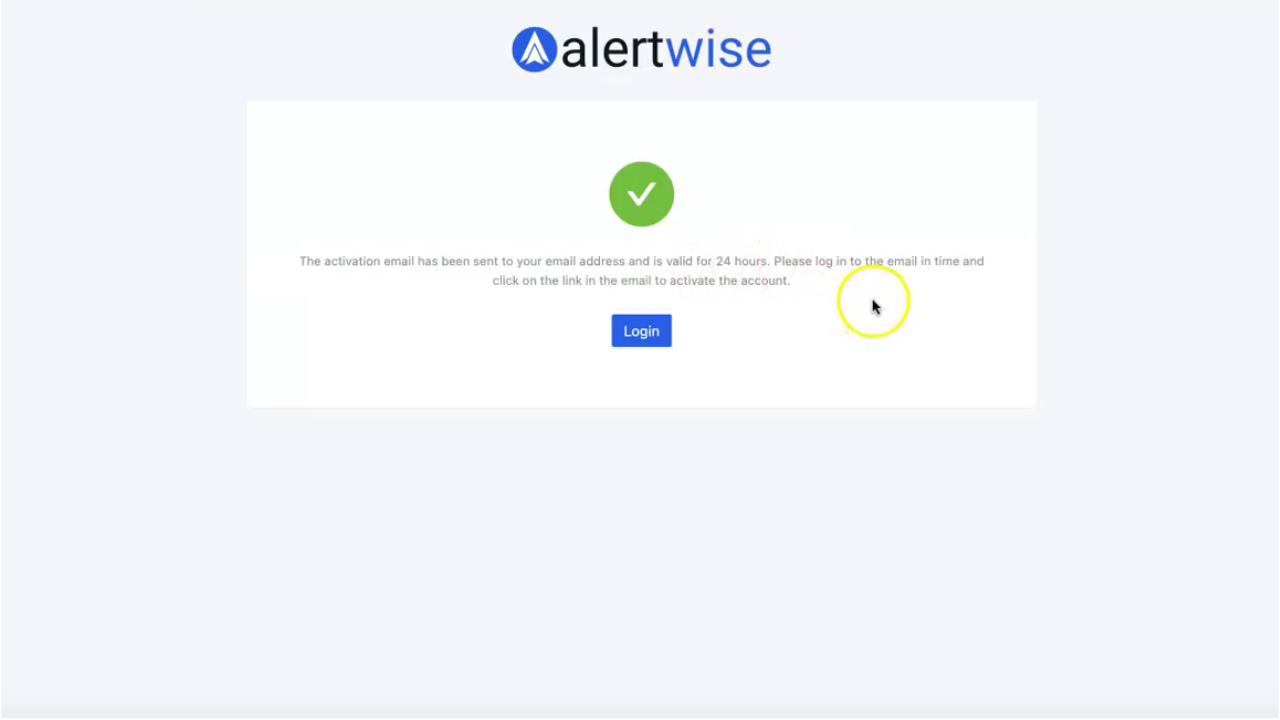
After filling in your details, click Sign Up with Email.
You’ll see a message indicating:
“Send your email address and it will be valid till twenty-four hours.”
This means you need to verify your email address within 24 hours.
Step 4 – Verify Your Email
Section titled “Step 4 – Verify Your Email”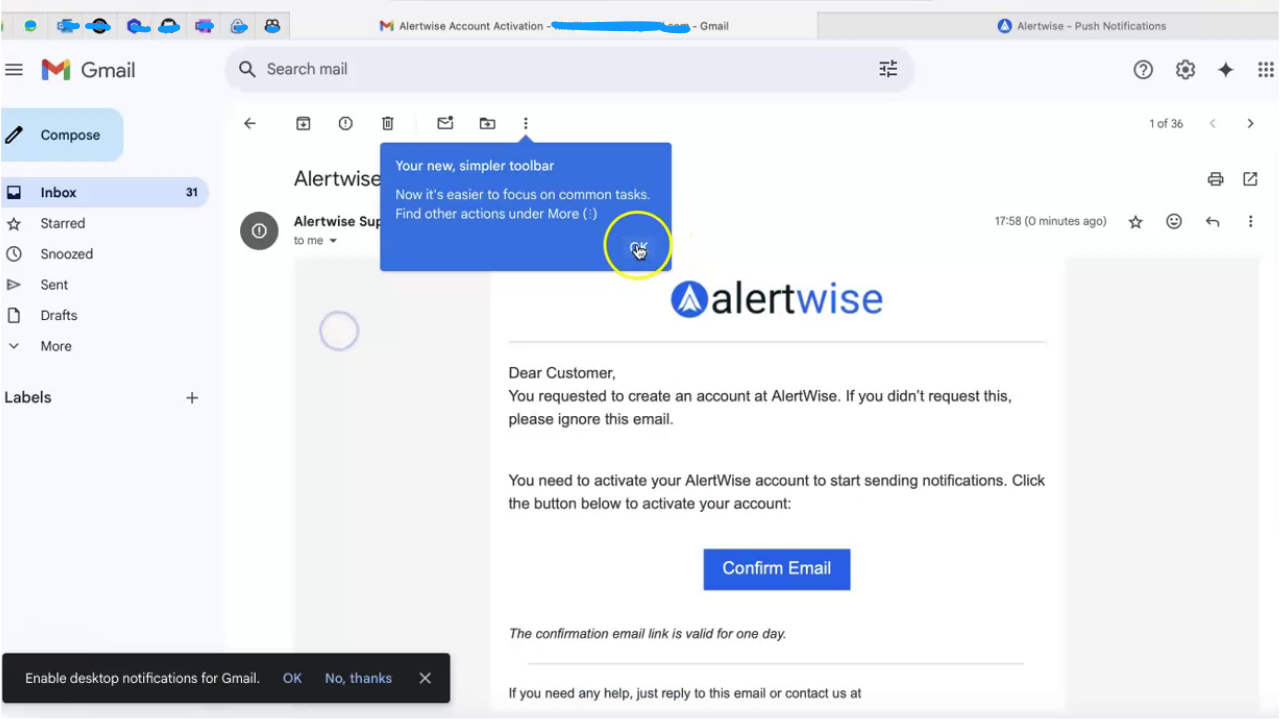
- Check your email inbox for a message from AlertWise.
- Open the email and click the Confirm Email button.
- After clicking, you’ll see a confirmation message stating that your account has been verified successfully.
- Select Go to Login to proceed.
Step 5 – Login to Your Account
Section titled “Step 5 – Login to Your Account”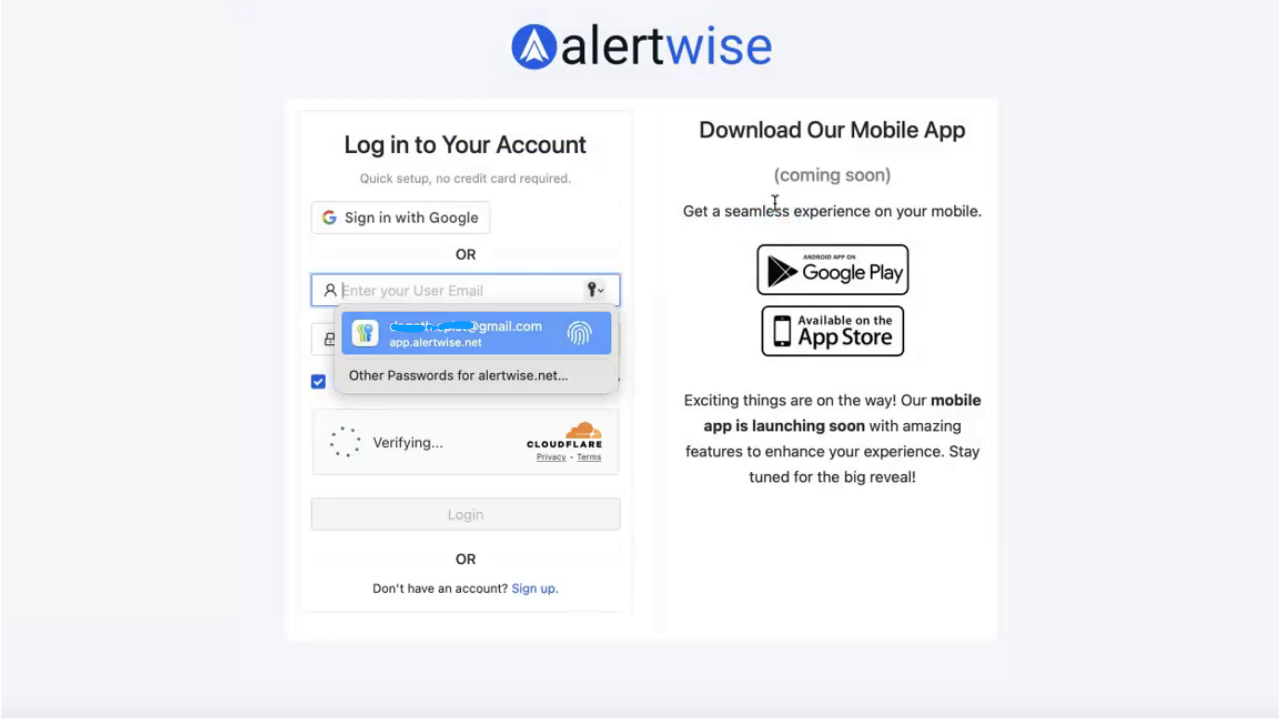
On the login page:
- Enter your registered Email and Password.
- Click Login.
If you already have an account, you can click the Already have an account? Log in link from the signup screen.
Step 6 – Explore Your Admin Panel
Section titled “Step 6 – Explore Your Admin Panel”After logging in, you’ll land on the Admin Panel.
From here, you can:
Tips for New Users
Section titled “Tips for New Users”- If you forget your password, use the Forgot Password link on the login page.
- For the fastest setup, use Google Sign-In — it skips the email verification step.
- Bookmark the Login Page for quick access.
You’re Ready! 🎉
Section titled “You’re Ready! 🎉”Your AlertWise account is now ready to use.
Start creating engaging push notifications and connect with your audience instantly.