· Education · 10 min read
Step-by-Step Guide to Set Up Web Push in WordPress
Follow this step-by-step guide to easily set up web push notifications on your WordPress site and start engaging your visitors instantly.

· Education · 10 min read
Follow this step-by-step guide to easily set up web push notifications on your WordPress site and start engaging your visitors instantly.
In today’s digital age, websites constantly need new means to connect directly with visitors and bring return traffic. After traditional means like email marketing, SMS alerts, and social media, web push notifications have now become a very effective method. It has become very easy to integrate web push notifications in popular content management systems (CMS) like WordPress. In this article, we will understand in detail how you can successfully set up web push notifications in your WordPress website.
Web push notifications are a technology that allows you to send messages to your website visitors as a notification on their browser, even if they are not active on your website at the time. When a visitor opens your website, he or she sees an opt-in prompt asking for permission if he or she wants to receive your push notifications. Once permission is granted, you can send a small notification directly to that user’s device whenever you post a new blog or run a promotional offer.
This technology is especially beneficial for bloggers, news portals, e-commerce sites, and marketing websites as it increases traffic and user engagement. Moreover, push notifications are GDPR compliant and are user-opted, making it a reliable communication medium.
To set up web push notifications, you’ll need the following:
A WordPress website
SSL certificate on the website (HTTPS)
A web push notification service such as OneSignal, PushEngage, or AlertWise
Relevant plugin support in WordPress
Now let’s figure out how to set it up.
Step 1- Select Web Push Service: First, you need to choose a web push notification service provider. OneSignal is a popular free tool that even beginners can easily use. Tools like PushEngage and AlertWise are also impressive and offer additional features.
Step 2- Create an account on the push service: Whichever tool you choose, first go to its website and create a free account. After signing up, create a new project (or site) and fill in your website details.
Step 3- install plugin in wordpress: Now go to your WordPress dashboard and click on “Plugins > Add New”. Search for the plugin for your chosen push service (e.g. Alertwise) and install and activate it.
Step 4- Connect the push service to WordPress: Now go to the plugin settings and fill in the App ID, API Key and other required information obtained from OneSignal or other service. You will find this information within the project on the push service website.
Step 5- Set up a subscription prompt: You can now decide what kind of popup to display on your website to ask users to subscribe. You can choose a custom message, icon, button, and color if you want.
Step 6- Welcome Notification and other settings: When a new user subscribes, you can send them a Welcome Notification. This is an automated message indicating that the subscription is successful. Additionally, you can decide whether to send notifications as soon as new posts are published or manually.
Step 7- Start sending notifications: You are now ready to send notifications. You can send notifications directly from the WordPress post editor or by creating a custom message from the push service dashboard.
As easy as it is to create a website on WordPress platform, it is equally important to keep users connected to the website for updates. When you post content regularly but the user does not get to know about it, your efforts can go in vain. Web push notifications improve the return rate of your site and help in bringing back your old visitors.
Moreover, push notifications have a higher open rate and click-through rate compared to emails. Push notifications appear instantly in the browser, thereby grabbing the user’s attention quickly. This is why integrating web push notifications in WordPress has become the need of the hour.
A good push notification is one in which the message is short, clear and attractive. When you send a notification for a new post, both the title and description should be made attractive and clickable. For example, “Know how to view land records in 2025 – Click for complete information” can be a better option.
Additionally, you can add an image or icon that catches the user’s attention. The notification design should also include the website logo, brand colors, and a call-to-action (CTA) button, such as “Read Now”, “View Details” or “Get Offer”.
Push notifications can only be successful if you have enough subscribers. For this, you need to design the opt-in prompt in such a way that the user agrees. When a new visitor comes to your site, show them an attractive subscription prompt that also explains the benefits. You can also adopt a “show after subscription” strategy for some content, forcing the user to allow push notifications. Additionally, you can add a bell icon to the site so that the user can subscribe later.
Web push notification tools have automation features that allow you to set up notifications on certain events such as when a user opens the website for the first time, when he or she reaches a specific page, or when a special offer is about to expire. Segmentation is another great feature through which you can divide your subscribers into different groups. For example, you can send different notifications to “users who like Hindi content” and “users who are interested in e-commerce offers”.
As your subscriber base grows, the limits of free tools start getting crossed. In that case, you have to go for a premium plan. Services like OneSignal offer limited subscribers and basic features for free, while services like AlertWise offer full control and GDPR compliant policy right from the start.
In premium tools, you get features like advanced analytics, segmentation, multi-browser support, personalization, and A/B testing, which are essential for large websites.
In today’s competitive digital world, it is not enough to just create a good website, it is also important to run it in smart ways. Web push notifications are a smart way to give your users a direct engagement experience without email or social media. Its integration process with WordPress is easy and its benefits are limitless. If you haven’t implemented web push notifications on your website yet, set it up today. This will not only increase your traffic but also strengthen your brand recall value.
Learn how to effectively integrate push notifications into your marketing strategy to boost engagement, drive traffic, and increase conversions.
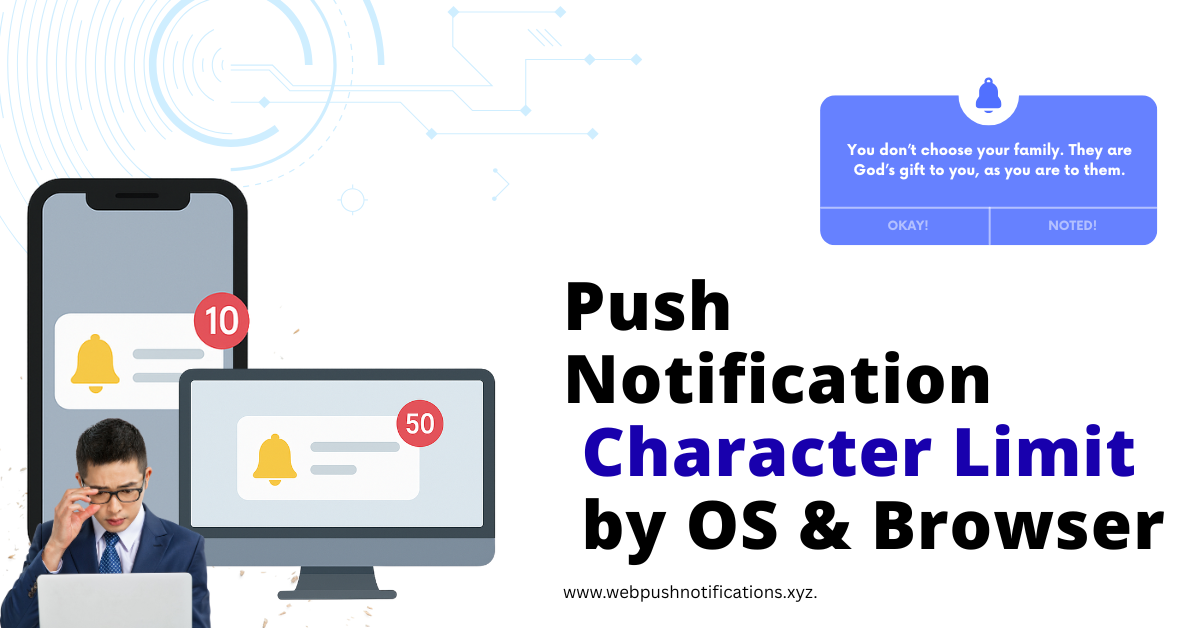
A comprehensive guide to push notification character limits across different operating systems and browsers, helping you craft effective messages.
Explore the technology stack behind push notification services, including service workers, browser push services, and application servers.

Discover how push notifications can help bloggers boost traffic, increase engagement, and build a loyal readership without relying on social media algorithms.